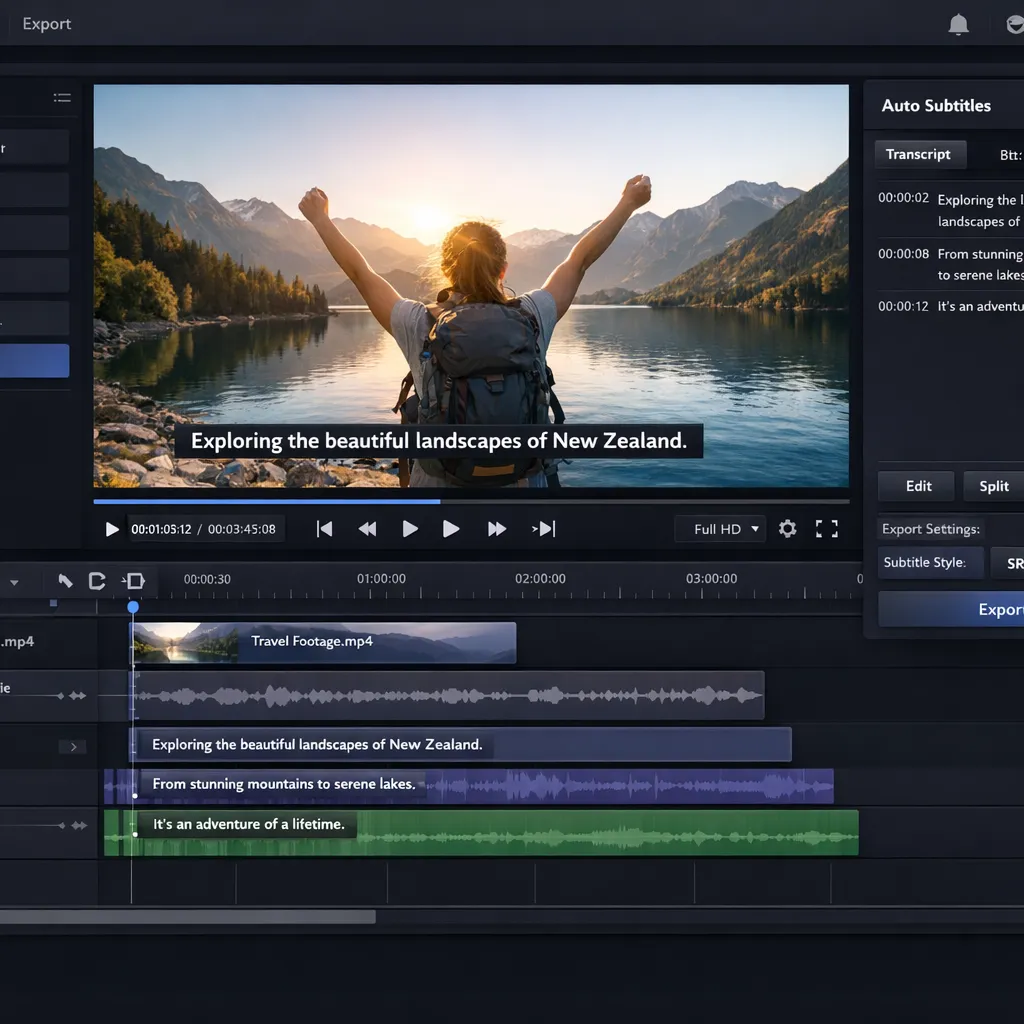
- Filmora = best overall AI editor (complete editing + AI, ~10\$/month)
- Reloop = best for shorts/clips (automatic repurposing)
- Submagic = best for AI subtitles (viral captions)
Editing a video in 2026 no longer means spending hours on Premiere Pro. AI video editors have exploded: automatic subtitles, smart editing, silence removal, viral effects... But between Filmora, Reloop, Submagic, CapCut and Descript, which one should you choose? We compared the 5 leading tools on their documentation and public pricing to give you an honest and actionable comparison.
This guide covers AI-assisted video editors -- tools where you import your video and AI helps you edit, subtitle and enhance it. If you're looking to generate videos from scratch, check out our AI video generator comparison.
2026 Ranking -- Quick comparison table
| # | Tool | Specialty | Rating | Price | Try |
|---|---|---|---|---|---|
| 🥇 | Filmora | Complete AI editing | 9.0/10 | ~10\$/month | Try → |
| 🥈 | Reloop | Shorts & Clips | 8.5/10 | 19\$/month | Try → |
| 🥉 | Submagic | Viral subtitles | 8.3/10 | 16\$/month | Try → |
| 4 | CapCut | Free AI editor | 8.0/10 | Free | Try → |
| 5 | Descript | Text-based editing | 7.5/10 | 24\$/month | Try → |
#1 -- Filmora: the best overall AI video editor
Filmora by Wondershare is the standout AI video editor of 2026. It combines a classic timeline editor (similar to Premiere Pro, but much simpler) with a powerful AI layer: automatic subtitles, background noise removal, smart cutting, AI Copilot to guide you through your editing. All for about 10\$/month -- an unbeatable value for money.
What sets Filmora apart is its versatility. Whether you're editing a 20-minute YouTube video, an Instagram Reel or a corporate presentation, the tool adapts. AI doesn't replace your editing -- it speeds it up. Automatic silence detection saves you 30 minutes per long video. The AI subtitles in French are among the most accurate on the market (95%+ accuracy).
- Complete editor -- multi-track timeline, effects, transitions
- AI Copilot -- AI assistant that suggests editing actions
- Auto subtitles -- 95%+ accuracy in French
- AI noise removal -- eliminates background noise in 1 click
- Smart Cutout -- intelligently cuts out subjects/backgrounds
- Affordable price -- ~10\$/month or perpetual license
- Desktop software (not 100% online)
- Some AI features cost extra (credits)
- Less powerful than Premiere/DaVinci for pure pro use
- 4K export reserved for higher plans
| Plan | Price | Included |
|---|---|---|
| Free | 0\$ | All features, watermark on export |
| Annual | ~10\$/month | No watermark, 4K export, 1 GB cloud storage |
| Perpetual | ~80\$ one-time | Lifetime license (purchased version) |
#2 -- Reloop: the king of video repurposing
If you produce long-form content (YouTube, podcasts, webinars) and want to cut it into viral shorts, Reloop is the tool you need. The AI analyzes your long video, detects the most engaging moments and automatically generates short clips optimized for TikTok, Reels and YouTube Shorts.
Reloop doesn't just cut -- it intelligently reframes into vertical format, adds animated viral-style subtitles, and offers attention hooks to maximize retention. In 2026, it has become an essential tool for creators who want to multiply their social media presence without multiplying their work time.
- Automatic repurposing -- 1 long video = 10+ shorts
- AI detection of viral moments
- Smart reframing -- automatic portrait with face tracking
- Animated subtitles -- built-in TikTok/viral style
- Multi-platform -- optimized export for TikTok, Reels, Shorts
- Specialized for short clips (not a full editor)
- 19\$/month minimum for serious use
- Variable quality depending on source video
- Interface mainly in English
| Plan | Price | Included |
|---|---|---|
| Free | 0\$ | 2 clips/month, watermark |
| Creator | 19\$/month | 30 clips/month, no watermark |
| Business | 49\$/month | Unlimited clips, brand kit, team |
#3 -- Submagic: the viral subtitles specialist
Submagic is the go-to tool for adding animated viral-style subtitles to your videos. If you've ever seen those colorful captions that follow the speech rhythm on TikTok or YouTube Shorts, there's a good chance they were created with Submagic. The AI transcribes your video, detects keywords and applies animations that boost retention.
Beyond subtitles, Submagic also offers auto-generated descriptions, contextual emojis, and caption templates that match current viral trends. French language support is excellent -- it's actually a tool created by a French-speaking team, which shows in the quality of the French transcription.
- Viral subtitles -- pro animations in 1 click
- Excellent French transcription -- French-speaking team
- Contextual emojis -- added automatically
- Trending templates -- up-to-date TikTok, Reels styles
- Fast -- subtitles ready in 30 seconds
- Specialized in subtitles only (no video editing)
- 16\$/month for regular use
- Limited features beyond captions
- No 4K export on the basic plan
| Plan | Price | Included |
|---|---|---|
| Free | 0\$ | 2 videos/month, watermark |
| Pro | 16\$/month | 20 videos/month, all styles |
| Business | 39\$/month | Unlimited videos, brand kit |
#4 -- CapCut: the free editor packed with AI
CapCut by ByteDance (TikTok's parent company) is probably the most powerful free video editor on the market in 2026. Available on mobile, desktop and web, it offers a complete timeline editor with impressive AI features for a free tool: auto subtitles, background removal, trending AI effects, TikTok templates.
The big advantage of CapCut is its TikTok ecosystem. The templates, effects and transitions are directly aligned with platform trends. If you create content mainly for TikTok, it's an obvious choice. The downside: it's a ByteDance product, which may raise data privacy concerns for some users.
- 100% free -- complete editor without paying
- Multi-platform -- mobile, desktop, web
- Auto subtitles -- good quality in French
- AI effects -- background removal, style transfer
- TikTok templates -- native trending integrations
- 500M+ users -- massive community
- ByteDance (data privacy)
- Advanced AI features = Pro plan (8\$/month)
- 4K export reserved for paid plan
- Less pro than Filmora for advanced editing
#5 -- Descript: text-based video editing
Descript offers a unique concept: you edit your video by editing text. The AI transcribes your video, and you can delete passages, reorder sections or correct errors simply by modifying the transcription. It's revolutionary for podcasters and spoken content creators.
Descript's "Overdub" even lets you generate your own voice via AI to correct a mispronounced word without re-recording. The tool also includes "Studio Sound" which improves the audio quality of a poor recording, "AI Green Screen" and filler word removal ("um", "like", "you know"). Ideal for podcasts and video courses.
- Text-based editing -- revolutionary concept
- Overdub -- voice clone for corrections
- Studio Sound -- AI audio enhancement
- Filler word removal -- removes hesitations
- Collaboration -- team editing
- 24\$/month (the most expensive in the comparison)
- French transcription less accurate than English
- Confusing interface at first
- Not ideal for creative visual editing
| Plan | Price | Included |
|---|---|---|
| Free | 0\$ | 1h of transcription/month, watermark |
| Hobbyist | 24\$/month | 10h transcription, HD export |
| Business | 40\$/month | 30h transcription, team, brand kit |
Which AI video editor to choose based on your needs?
🎯 Simulator -- Which AI video editor is right for you?
1. What type of content do you mainly edit?
FAQ -- AI Video Editors
What is the best free AI video editor in 2026?
CapCut is the best free AI video editor. It offers a complete timeline editor, automatic subtitles, background removal and AI effects -- all without paying. Filmora also offers a free version with all features, but adds a watermark on export.
Filmora or CapCut: which one to choose?
Filmora if you want a professional editor with advanced AI features (AI Copilot, silence detection, Smart Cutout) and no watermark. CapCut if you want to stay 100% free and mainly create for TikTok/Reels. Filmora is more powerful, CapCut is more accessible.
How to add AI subtitles to my videos?
The simplest way: Submagic for animated viral subtitles in 1 click. Filmora and CapCut also include automatic transcription with subtitles. Accuracy in French is 95%+ with Submagic and Filmora, slightly less with CapCut.
Can you automatically turn a long video into shorts?
Yes, that's exactly what Reloop does. The AI detects the most engaging moments from your long video and generates short clips reframed in vertical format, with subtitles. A 1-hour podcast can produce 15+ shorts ready to post.
Do AI video editors replace Premiere Pro?
Not yet for advanced pro editing (cinema, high-end documentary). But for 90% of YouTube, TikTok and corporate creators, a tool like Filmora with its AI features is more than sufficient -- and much faster. The time savings are real: 2 to 3 times faster than a classic Premiere workflow.