Kling vs Runway 2026: Welchen KI-Videogenerator solltest du wählen?


Kling gewinnt beim Preis-Leistungs-Verhältnis, Runway bei kreativen Profis
Kling AI gewinnt dieses Duell beim Preis-Leistungs-Verhältnis: Kinoreife Qualität, die fast an Runway heranreicht, Clips bis zu 3 Minuten und ein um 42 % niedrigerer Preis (ab 6,99 $/Monat gegenüber 12 $/Monat bei Runway). Für 80 % der unabhängigen Creator und YouTuber ist es die naheliegende Wahl.
Runway bleibt unverzichtbar, wenn du Motion-Design-Profi oder Postproduktions-Spezialist bist: Es ist die einzige Plattform, die Generierung + Videoschnitt + Masking + Color Grading in einer einzigen Oberfläche vereint. Runway Gen-4.5 ist bei der Generierung außerdem 3- bis 4-mal schneller als Kling.
📖 Inhaltsverzeichnis
- Kurzüberblick: Kling AI vs Runway in 30 Sekunden
- Videoqualität: Wer produziert die besten Clips?
- Cliplänge: großer Vorteil für Kling
- Generierungsgeschwindigkeit: Runway ist 3x schneller
- Preise und Tarife: die echten Monatskosten
- Benutzerfreundlichkeit und Oberfläche
- Anwendungsfälle: Wer sollte was wählen?
- Vollständige Vergleichstabelle
- FAQ - Kling vs Runway
- Endgültiges Fazit 2026
Dieses Duell ist Teil unserer Top 10 der besten KI-Videogeneratoren 2026. Um Kling mit anderen Alternativen zu vergleichen, sieh dir auch Kling vs Sora, Kling vs Veo 3 oder Kling vs Pika an. Um das Runway-Ökosystem zu erkunden, lies unseren Beitrag Runway vs Veo 3.
Kurzüberblick: Kling AI vs Runway in 30 Sekunden
In einem zunehmend umkämpften KI-Videomarkt (Kling, Runway, Veo 3, Sora 2) konzentriert sich dieser Vergleich auf zwei Giganten: Kling AI (entwickelt von Kuaishou mit Sitz in China) und Runway (die historische US-amerikanische Referenz seit 2018, von Hollywood-Studios genutzt). Beide Tools produzieren mittlerweile KI-Videos in nahezu kinoreifer Qualität, doch ihre Philosophien sind grundlegend verschieden.
Kling setzt auf rohe Qualität + Preis: ein leistungsstarkes Modell, das die Physik mit beeindruckendem Realismus meistert, ab 6,99 $/Monat. Runway setzt auf das komplette Kreativ-Ökosystem: Generierung + Bearbeitung + Masken + Color Grading + Charakterkonsistenz, alles in einer einzigen professionellen Plattform ab 12 $/Monat.
Dieser Vergleich stützt sich auf die offizielle Dokumentation beider Anbieter, ihre öffentlichen Preise und verifizierte Nutzerbewertungen (G2, Trustpilot), über die für Creator wichtigsten Stile hinweg (E-Commerce-Werbung, YouTube-Content, Motion Design, cineastisch). Hier ist unsere ehrliche Einschätzung, wer dieses Duell 2026 gewinnt.
Videoqualität: Wer produziert die besten Clips?
Kling AI: der König der realistischen Physik
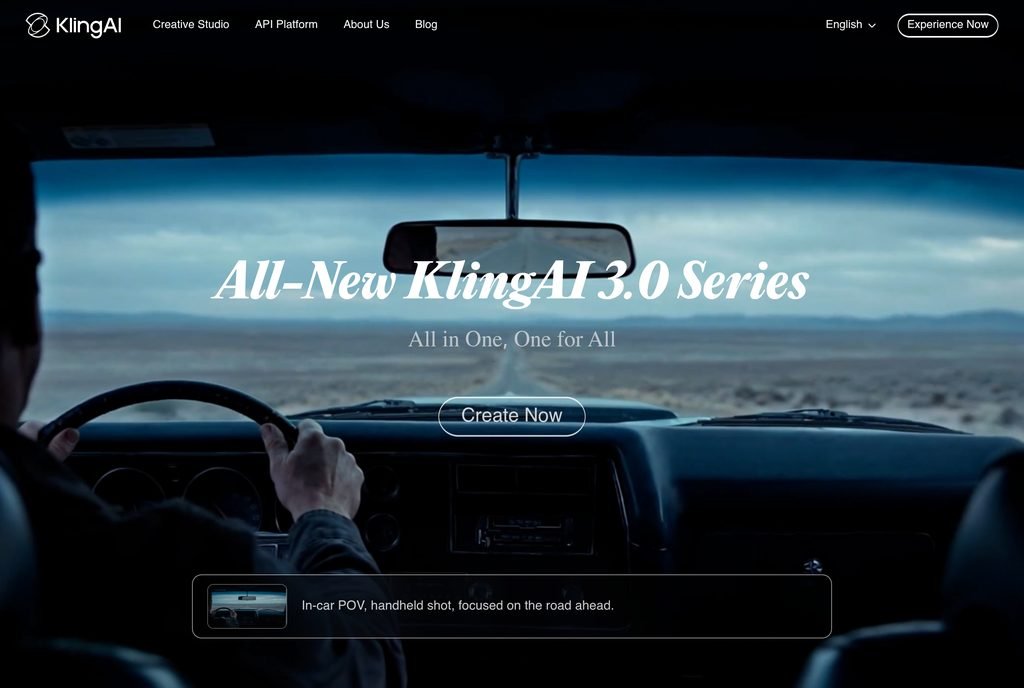
Kling (zum Zeitpunkt des Schreibens Version 2.6) ist unschlagbar bei der Szenenphysik. Wasser fließt natürlich, Stoffe reagieren korrekt auf die Schwerkraft, Haare bewegen sich realistisch und, was am wichtigsten ist, menschliche Bewegungen sind bodenständig verankert (etwas, woran Sora systematisch scheiterte). Wenn du Kling um „einen Mann, der im Regen läuft“ bittest, bekommst du buchstäblich einen Mann, der im Regen läuft, und keinen schwebenden Geist.
Wichtige Stärken, die herausstechen:
- Außergewöhnliche zeitliche Konsistenz: Gesichter verformen sich nicht zwischen den Frames, anders als bei vielen Konkurrenten
- Fortschrittliche Kamerasteuerung mit per Schlüsselwort definierten Bewegungen (zoom in, orbit left, dolly forward usw.)
- Image-to-Video besonders leistungsstark: Hier glänzt Kling am meisten, indem es ein Standbild mit verblüffendem Realismus zum Leben erweckt
- Native 1080p-Auflösung mit 4K-Upscale in den kostenpflichtigen Tarifen verfügbar
Runway: der König der kreativen Konsistenz
Runway Gen-4.5 produziert etwas „stilisiertere“ Clips mit einer polierten Werbeästhetik, weniger fotorealistisch als Kling bei natürlichen Szenen, aber deutlich konsistenter bei der Charakterkonsistenz. Es ist das einzige Tool, das wiederkehrende Charaktere gut handhabt über mehrere Clips hinweg, was für Kurzfilme oder Werbespots mit einer Hauptfigur entscheidend ist.
Bemerkenswerte Stärken:
- Hervorragendes automatisches Color Grading: Die Clips kommen fertig heraus, um ohne Postproduktion in einen Schnitt integriert zu werden
- Charakterkonsistenz: Du kannst einen Charakter speichern und in anderen Clips wiederverwenden (eine Funktion, die Kling noch nicht so robust beherrscht)
- Motion Brush: Du malst auf dein Video, um nur bestimmte Bereiche zu animieren, einzigartig bei Runway
- Deutlich bessere Textbehandlung in Videos (Kling erzeugt manchmal noch unleserliches Kauderwelsch)
Unser Qualitätsfazit
Für reines Video, das echt aussieht, gewinnt Kling. Für gebrauchsfertiges Video mit integrierter Postproduktion gewinnt Runway. Wenn du dich für ein einziges Tool auf Basis der rohen Qualität entscheiden musst, liegt Kling vorn. Wenn du das komplette Ökosystem schätzt, verschafft sich Runway den Vorteil.
Cliplänge: großer Vorteil für Kling
Das ist wahrscheinlich der praktischste Unterschied im Alltag. Runway ist auf 16 Sekunden pro Clip begrenzt, das ist die kürzeste Grenze unter den großen Tools am Markt. Kling erlaubt Clips bis zu 3 Minuten (mit schrittweiser Verlängerung des ursprünglichen Clips).
Was das in der Praxis ändert:
- Für einen 15-Sekunden-Werbespot auf Facebook/TikTok: kein Unterschied, beide erledigen die Aufgabe
- Für eine 30-60-Sekunden-YouTube-Szene: Runway zwingt dich, 2 bis 4 Clips zu generieren und im Editor zusammenzufügen, während Kling den Clip in einem Rutsch generiert
- Für einen 2-3-minütigen Kurzfilm: Kling wird nahezu unverzichtbar
Hinweis: Lange Clips kosten bei Kling mehr Credits, aber das Kosten-pro-Sekunde-Verhältnis bleibt selbst bei kurzen Sequenzen besser als bei Runway.
Generierungsgeschwindigkeit: Runway ist 3x schneller
Hier revanchiert sich Runway. Ein Runway-Gen-4.5-Clip kommt je nach Komplexität in 30 bis 90 Sekunden heraus, gegenüber 2 bis 5 Minuten bei Kling. Wenn du an Konzepten iterierst (10 Varianten generierst, um die richtige zu finden), wird dieser Unterschied riesig: In einer Stunde produzierst du 60 Clips mit Runway gegenüber 15-20 mit Kling.
Für Agentur-Kreative, die schnell iterieren und zügig liefern müssen, ist Runway objektiv produktiver. Für Solo-Creator, die 2-3 Videos pro Woche generieren, hat der Geschwindigkeitsunterschied kaum Auswirkungen und Kling bleibt wegen seines Preis-Leistungs-Verhältnisses vorzuziehen.
Viele Creator nutzen beide Tools in Kombination: Runway, um schnell zu iterieren und das richtige Konzept zu finden, und dann Kling, um die finale Version des besten Konzepts in hoher Qualität zu generieren.
Preise und Tarife: die echten Monatskosten
Hier ist der für April 2026 aktualisierte Preisvergleich. Beide Tools bieten einen kostenlosen Tarif, allerdings mit erheblichen Einschränkungen (Wasserzeichen, begrenzte Auflösung, lange Wartezeiten in der Warteschlange).
| Tarif | Kling AI | Runway |
|---|---|---|
| Kostenlos | 66 Credits/Tag, 720p, Wasserzeichen | 125 Credits/Monat, 720p, Wasserzeichen |
| Einstiegstarif | 6,99 $/Monat (660 Credits) | 12 $/Monat (625 Credits) |
| Standardtarif | 16,99 $/Monat (3.000 Credits) | 28 $/Monat (2.250 Credits) |
| Pro-Tarif | 46,99 $/Monat (8.000 Credits) | 76 $/Monat (unbegrenzt) |
| Maximale Auflösung | 4K (Upscale) | 4K |
| Maximale Cliplänge | 3 Minuten | 16 Sekunden |
Preisfazit: Kling ist 42 % bis 55 % günstiger bei gleichwertigem Credit-Niveau. Für einen Creator, der 20-30 Videos pro Monat generiert, bedeutet das eine Ersparnis von 15-20 $ pro Monat oder 180-240 $ pro Jahr, nicht zu vernachlässigen. Der Abstand verringert sich bei den Pro-Tarifen, wo Runway unbegrenzte Nutzung bietet, was sich für Agenturen auszahlen kann, die Hunderte von Clips generieren.
Benutzerfreundlichkeit und Oberfläche
Beide Tools haben gut gestaltete Oberflächen, aber mit unterschiedlichen Philosophien.
Kling-Oberfläche: einfach und direkt
Kling bietet eine minimalistische Oberfläche, die auf die Generierung ausgerichtet ist: ein Prompt-Feld, ein paar Optionen (Dauer, Seitenverhältnis, Qualität), und los geht's. Sie ist ideal für Einsteiger, die KI-Video schnell testen möchten, ohne sich zu verzetteln. Für einen professionellen Workflow bleibt Klings integrierter Editor jedoch einfach gehalten (Trimmen, Teilen, Musik hinzufügen, aber keine fortgeschrittenen Masken oder feines Color Grading).
Runway-Oberfläche: komplette Kreativplattform

Runway fühlt sich eher wie ein vereinfachtes Adobe After Effects an: Du hast eine Timeline, mehrere Spuren, KI-Effekte, Masking, Color Grading und sogar integrierte KI-Sprachsynthese. Die Lernkurve ist länger (rechne mit 2-3 Stunden, um dich sicher zu fühlen), aber einmal gemeistert, kannst du ein fertiges Video liefern, ohne jemals externe Software zu öffnen.
Für einen absoluten Anfänger ist Kling 2x zugänglicher. Für einen Kreativen, der Premiere/DaVinci bereits kennt, wird sich Runway vertraut und unendlich viel leistungsstärker anfühlen.
Anwendungsfälle: Wer sollte was wählen?
Um dieses Duell zu entscheiden, kommt es nicht auf die absolute Platzierung eines Tools an, sondern darauf, wie gut es zu deinem Hauptanwendungsfall passt. Hier ist unsere Empfehlung nach Profil:
Stärken und Schwächen: detaillierte Analyse
Kling AI - Stärken und Schwächen
Stärken
- Kinoqualität mit ultrarealistischer Physik
- Clips bis zu 3 Minuten: einzigartig am Markt
- 42 % günstiger als Runway bei gleichwertigen Tarifen
- Erstklassiges Image-to-Video
- Sehr großzügiger kostenloser Tarif (66 Credits/Tag)
- Fortschrittliche Kamerasteuerung per Schlüsselwörter
Schwächen
- 3- bis 4-mal langsamer als Runway bei der Generierung
- Einfache Oberfläche: keine echte Postproduktion
- Weniger zuverlässige Charakterkonsistenz zwischen Clips
- Unvollkommene Textbehandlung (erzeugt Kauderwelsch)
- Chinesische Server (mitunter höhere Latenz)
Runway - Stärken und Schwächen
Stärken
- Komplette Kreativplattform (Generierung + Bearbeitung + Effekte)
- Charakterkonsistenz über mehrere Clips hinweg
- Einzigartiger Motion Brush (bestimmte Bereiche animieren)
- 3- bis 4-mal schnellere Generierung als Kling
- Profi-Ökosystem (API, Zusammenarbeit, Team-Workflow)
- Hervorragendes automatisches Color Grading
Schwächen
- Clips auf 16 Sekunden begrenzt: sehr einschränkend
- Teurer (12 $ gegenüber 6,99 $ bei gleichwertigem Niveau)
- Längere Lernkurve
- Weniger natürliche Physik als Kling bei komplexen Szenen
- Eingeschränkterer kostenloser Tarif (125 Credits/Monat)
Vollständige Vergleichstabelle
| Kriterium | Kling AI | Runway |
|---|---|---|
| Gesamtbewertung | 4,7/5 | 4,7/5 |
| Einstiegspreis | 6,99 $/Monat | 12 $/Monat |
| Rohe Videoqualität | 9,5/10 | 9,2/10 |
| Physik und Realismus | 9,8/10 | 8,5/10 |
| Maximale Cliplänge | 3 Minuten | 16 Sekunden |
| Generierungsgeschwindigkeit | 2-5 Min./Clip | 30-90 Sek./Clip |
| Charakterkonsistenz | Durchschnittlich | Hervorragend |
| Integrierte Bearbeitung | Einfach | Komplett (Timeline, Masken, Farbe) |
| Image-to-Video | Hervorragend | Sehr gut |
| Text-to-Video | Sehr gut | Hervorragend |
| Kostenloser Tarif | 66 Credits/Tag | 125 Credits/Monat |
| Preis-Leistungs-Verhältnis | 9,5/10 | 7,5/10 |
| Lernkurve | Einfach (15 Min.) | Mittel (2-3 Std.) |
| Ideal für | Solo-Creator, YouTuber | Agenturen, Profis, Motion Designer |

FAQ - Kling vs Runway
Kling oder Runway: Was ist 2026 wirklich das Beste?
Es gibt kein absolutes „Bestes“: Es hängt von deiner Nutzung ab. Kling AI gewinnt bei roher Qualität, Cliplänge und Preis (42 % günstiger). Runway gewinnt bei Geschwindigkeit, integrierter Bearbeitung und Charakterkonsistenz. Für 80 % der unabhängigen Creator ist Kling die richtige Wahl. Für Agenturen und Profis bleibt Runway unverzichtbar.
Ist Kling wirklich kostenlos?
Ja, Kling bietet einen kostenlosen Tarif mit 66 Credits pro Tag (entspricht etwa 5-7 kurzen Videos pro Tag), in 720p mit Wasserzeichen. Das reicht mehr als aus, um das Tool zu testen oder gelegentlich Content zu generieren. Für die professionelle Nutzung (4K, kein Wasserzeichen, mehr Credits) musst du auf den Tarif für 6,99 $/Monat upgraden.
Warum ist Runway teurer als Kling?
Runway berechnet ein komplettes Ökosystem: KI-Generierung + Videoschnitt-Suite + Masking + Color Grading + Team-Zusammenarbeit + Cloud-Speicher. Kling berechnet nur die Generierung. Wenn du zum Schneiden bereits Premiere Pro oder DaVinci Resolve nutzt, ist Kling kostengünstiger. Wenn du alles aus einer Hand möchtest, ist Runways Preis gerechtfertigt.
Kann man Kling UND Runway zusammen nutzen?
Ja, und das ist sogar das, was viele Profi-Creator tun. Die typische Kombination: Runway zum schnellen Iterieren und Finden des richtigen Konzepts (dank seiner Geschwindigkeit), und dann Kling zum Generieren der finalen Version in Kinoqualität (dank seiner überlegenen Qualität). Die kombinierten Kosten (etwa 19 $/Monat) bleiben für die professionelle Nutzung angemessen.
Kling ist chinesisch, gibt es ein Datenschutzrisiko?
Kling AI wird von Kuaishou entwickelt, einem in Hongkong börsennotierten chinesischen Unternehmen. Die Daten (Prompts und generierte Videos) werden für die globale Version auf internationalen Servern (Singapur, USA) gespeichert. Für Content-Creator für die breite Öffentlichkeit besteht kein besonderes Risiko. Für sensible Unternehmensdaten (vertrauliche Drehbücher, unveröffentlichte Produkte) sind Runway oder ein in Europa gehostetes Tool vorzuziehen.
Was ist die Alternative, wenn Runway und Kling nicht für mich funktionieren?
Wenn du eine kostenlose Alternative suchst, ist Vidnoz die beste Option (Avatare + Videogenerierung). Für einfaches Text-to-Video ist InVideo AI besser für Einsteiger geeignet. Für fortgeschrittenes Motion Design ist Pika Labs ein guter Mittelweg. Sieh dir unseren kompletten Vergleich der 10 besten KI-Videogeneratoren an.
Runway oder Kling für KI-Audio (Stimme, Musik)?
Keines ist auf Audio spezialisiert. Runway bietet integrierte KI-Sprachsynthese (einfache Lippensynchronisation) und etwas Musikgenerierung, aber es ist begrenzt. Kling hat kein natives Audio: Du musst die Musik in der Postproduktion hinzufügen. Für hochwertiges KI-Audio kombiniere es mit ElevenLabs (Stimme) oder Mubert (Musik).
Ist Runway Gen-4 besser als Kling bei der Videoqualität?
Bei roher Qualität und physikalischem Realismus behält Kling 2026 einen leichten Vorsprung, besonders bei komplexer Bewegung und langen Clips (bis zu 3 Min.). Runway Gen-4 führt hingegen bei Charakterkonsistenz, Generierungsgeschwindigkeit und integrierter Bearbeitung. Für rein cineastisches Ergebnis wähle Kling; für einen kompletten Kreativ-Workflow Runway Gen-4.
Endgültiges Fazit 2026: unsere Empfehlung
Auf Grundlage dieser Vergleichsanalyse ist hier unsere ehrliche Empfehlung für 2026:
Wähle Kling AI, wenn:
- du ein unabhängiger Creator bist (YouTube, TikTok, Instagram)
- du das beste Preis-Leistungs-Verhältnis am Markt willst
- du lange Clips brauchst (30 s bis 3 Minuten)
- du Realismus und natürliche Physik priorisierst
- dein Budget unter 20 $/Monat liegt
Wähle Runway, wenn:
- du in einer Agentur oder einem Kreativteam arbeitest
- du Charakterkonsistenz über mehrere Clips hinweg brauchst
- du ein komplettes Ökosystem willst (Generierung + Bearbeitung)
- die Iterationsgeschwindigkeit für deine Projekte entscheidend ist
- dein Budget 30-80 $/Monat erlaubt
Für die große Mehrheit unserer Leser, Solo-Creator, freiberufliche Marketer, YouTuber, ist Kling AI 2026 die beste Wahl. Es ist das Tool, mit dem man startet, ohne das Budget zu sprengen, und es bietet 95 % der Fähigkeiten von Runway für 60 % des Preises. Wenn sich deine Anforderungen später in Richtung Profi-Agenturarbeit entwickeln, kannst du Runway jederzeit als Ergänzung hinzunehmen.
Bereit, den besten KI-Videogenerator zu testen?
Starte kostenlos mit Kling AI (66 Credits/Tag, keine Kreditkarte nötig) und vergleiche selbst.